Wear your vibe
Vibe Badge is an ESP32-powered wearable display that visualizes your social energy in real time. Control it via the iOS app, Shortcuts, or the Action button.
Five states of social energy
From fully charged to completely drained, the display shows exactly where you are.
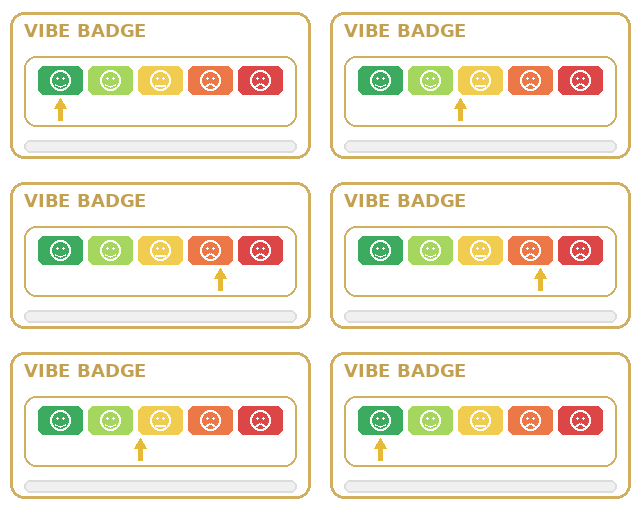
Light Mode
Clean white background for daytime visibility. Watch the arrow move between energy levels.
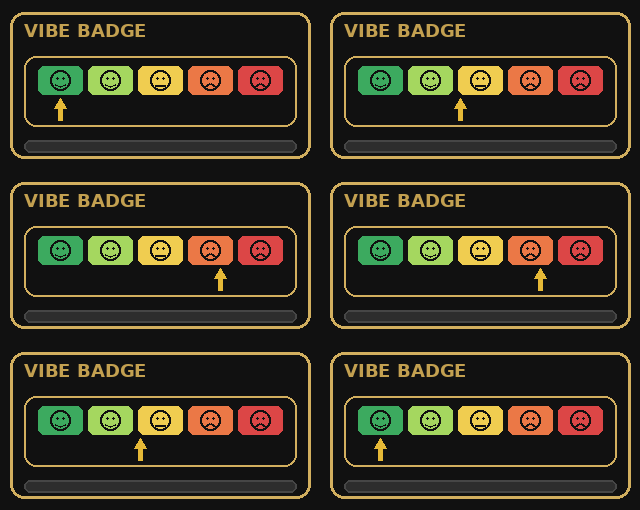
Dark Mode
Inverted display for low-light environments. Watch the arrow move between energy levels.
How it works
Simple hardware, powerful integration.
Bluetooth Control
Connect via Bluetooth LE from the iOS app. Change your vibe level with a tap or slider.
Shortcuts Integration
Trigger vibe changes from Shortcuts automations, widgets, or the Action button.
Emoji Display
Five emoji faces from happy to exhausted. A physical arrow points to your current state.
Get Started
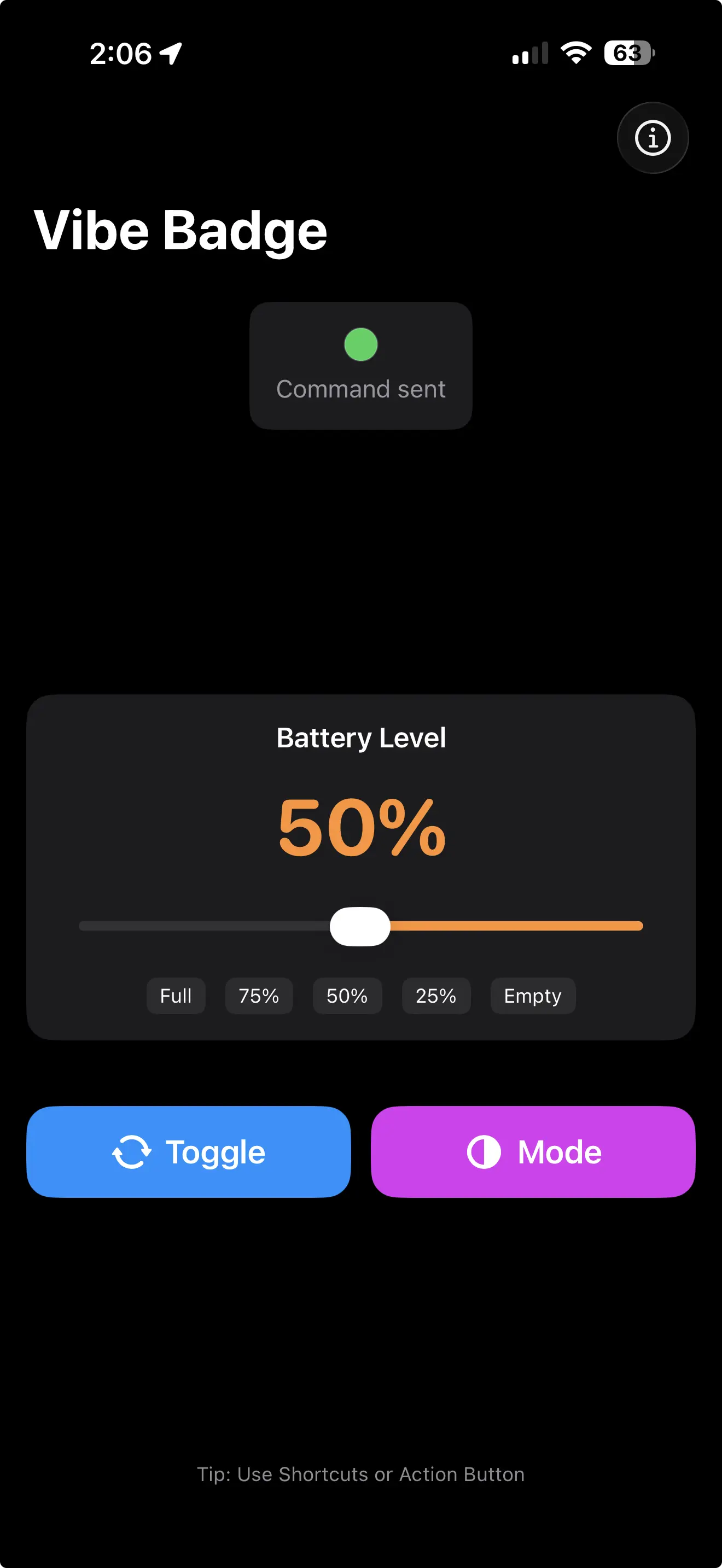
Build the hardware: Flash an ESP32 board with integrated ST7789 TFT display using the Vibe Badge firmware.
Install the app: Download Vibe Badge from the App Store and pair with your device via Bluetooth.
Set your level: Use the slider, preset buttons (Empty, 25%, 50%, 75%, Full), or the Toggle button to update your display.
Automate with Shortcuts: Create Shortcuts to change your vibe level from widgets, automations, or the Action button.
Shortcuts Actions
Set Vibe Level: Set your vibe to a specific percentage (0-100%).
Toggle: Cycle through preset levels or toggle the display state.